In short: on July 13, 2026, the registry operator of Montenegro's.medomain zone put thet.medomain intoserverHoldstatus - and every short Telegram link stopped opening in browsers worldwide. The messenger itself works fine. The fix is simple: usetelegram.mein text links and posts, and the directtg://resolveprotocol for buttons on your site. Below is a 10-minute step-by-step guide.
What happened
Worldwide, short Telegram links on the t.me domain stopped opening in browsers. The cause is not a Telegram outage: the registry operator of Montenegro's .me domain zone blocked the t.me domain, putting it into serverHold status. At the registry level, this status removes the domain from the global DNS system - the browser simply cannot find where to send the user. The change is visible in the domain's WHOIS record, dated July 13, 2026.
Two things are important to understand:
- The Telegram messenger and apps work without interruption. Chats, channels, bots - everything is alive.
- Only `t.me` links on the internet are broken: on websites, in ads, in social media profiles, in email signatures, in QR codes.
Neither Telegram nor the .me registry had given an official explanation for the block as of publication.
Why this hits businesses hardest
If you drive clients to Telegram, you most likely do it through t.me: a "Message us on Telegram" button on your site, a link in your Instagram bio, in ad campaigns, in email newsletters. Every one of those links now leads nowhere. The client clicks, sees an error, and leaves. You won't see this in your reports right away: ads keep running, clicks keep getting charged, but leads stop coming in.
Step-by-step guide: how to replace the links in 10 minutes
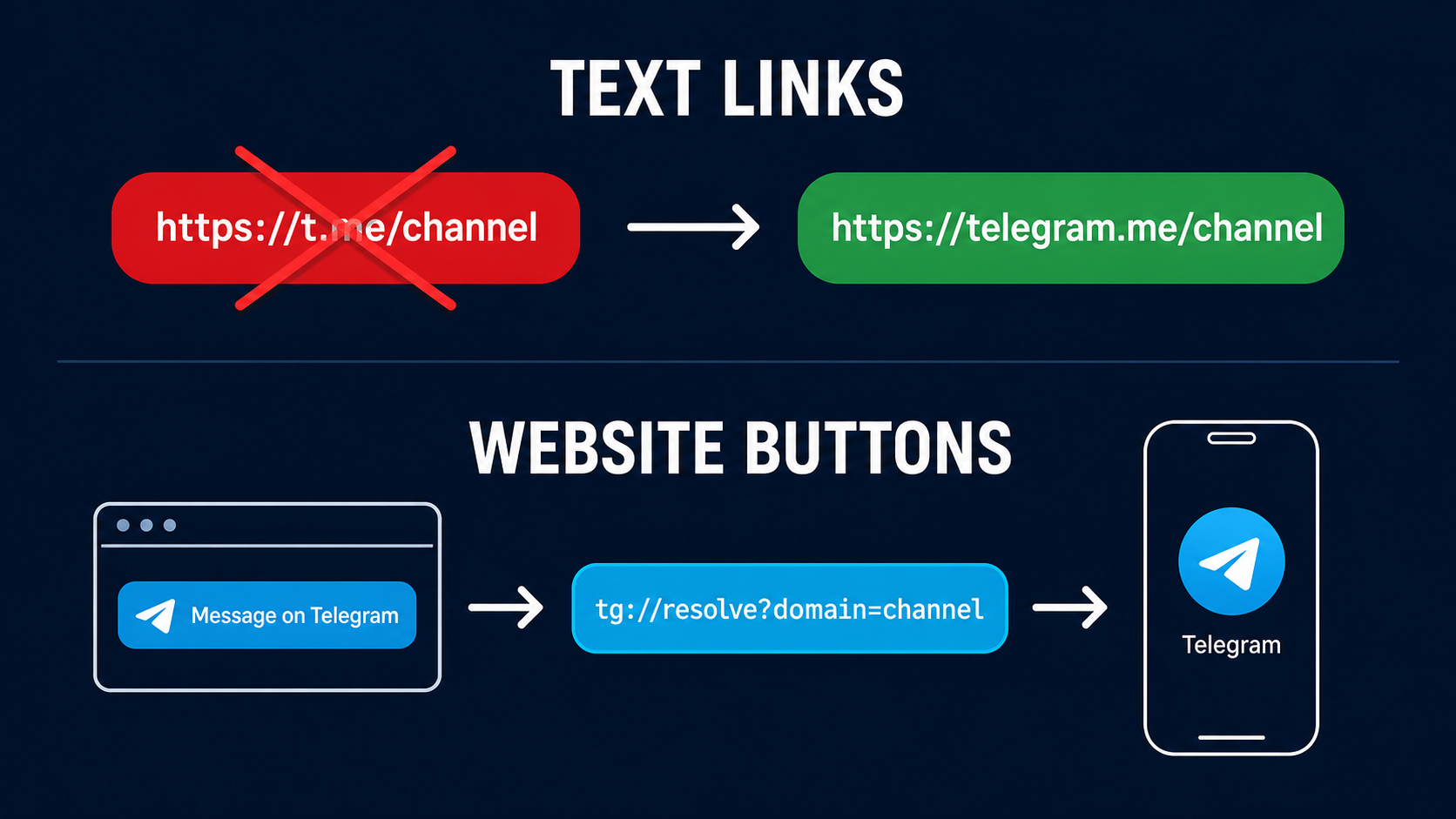
Step 1. Replace t.me with telegram.me in text links
telegram.me is Telegram's official domain, generated by the app itself. It works as a full replacement:
- Before:
https://t.me/your_channel - After:
https://telegram.me/your_channel
The path format doesn't change: channels, bots, personal profiles, invites - everything opens the same way.
Step 2. For buttons on your site - the direct tg:// protocol
The tg:// protocol opens the target profile directly in the app on phone or desktop, bypassing the browser and DNS entirely:
- A channel or chat:
tg://resolve?domain=channel_name - A specific post:
tg://resolve?domain=channel_name&post=post_ID
This is the best option for "Message us" buttons on your site: one click, and the client already has the dialog open. Caveat: if the Telegram app isn't installed, the tg:// link won't work - so for a broad audience, keep a pair: a tg:// button plus a text fallback link to telegram.me.
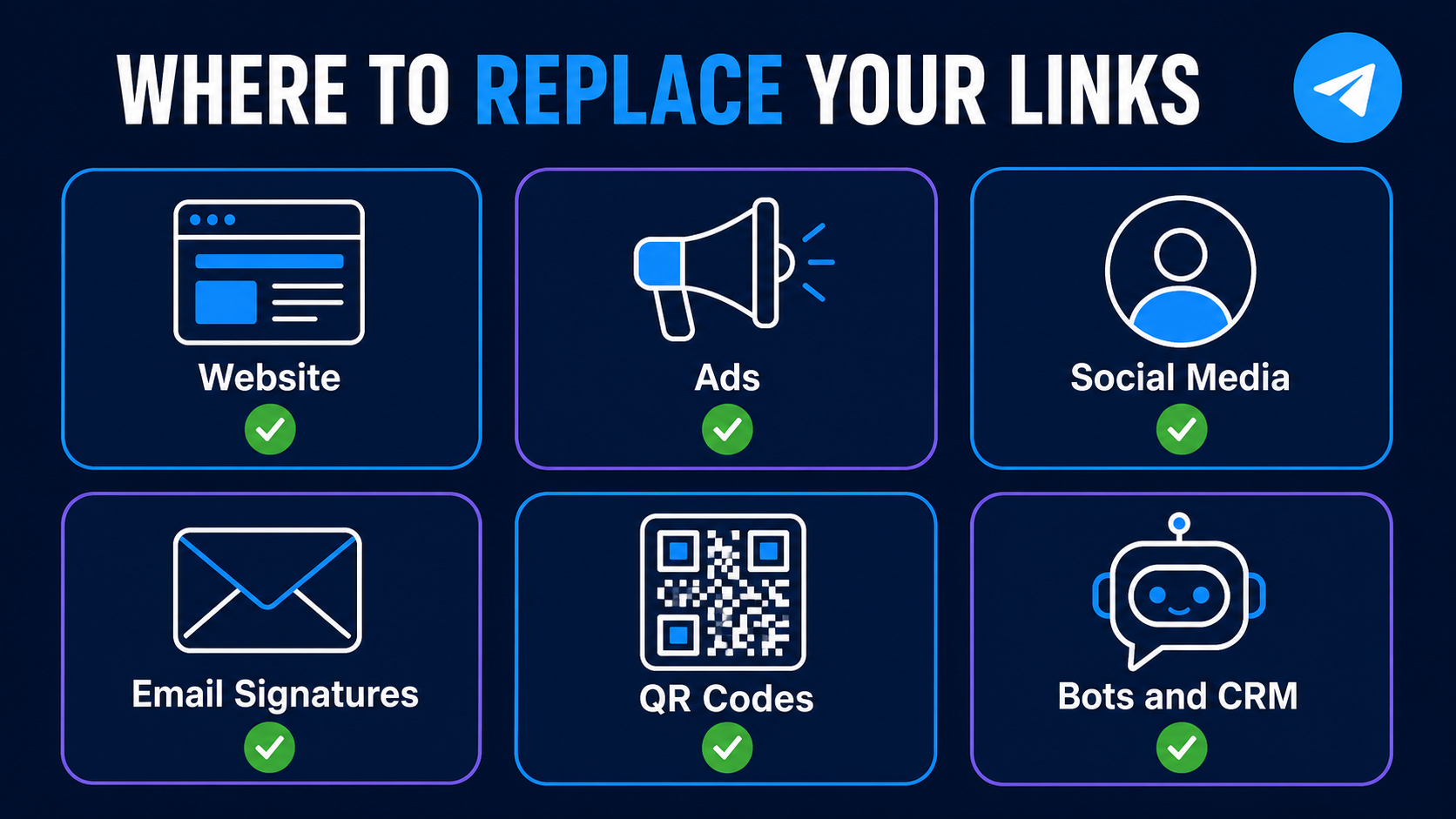
Step 3. Go through every place your links live
A checklist of the spots people forget most often:
- Website: buttons, footer, contact page, chat widgets.
- Ads: active campaigns in Google Ads, Meta, TikTok - final URLs and extensions.
- Social media: links in the profile header on Instagram, TikTok, Facebook, LinkedIn, X.
- Email: employee signatures, newsletter templates, autoresponders.
- QR codes: business cards, signage, print materials - a QR code pointing to
t.meis dead too. - Messenger bots and CRM: automated messages that send clients a link.
Step 4. Verify the result
Open every replaced link in a browser in incognito mode - from a computer and from a phone. The link should either open the web version (telegram.me) or launch the app directly (tg://).
What happens next with t.me
It's unknown when, or if, t.me will come back: only the registry can lift the serverHold status. Even if the domain gets unblocked, this incident showed how fragile a single point of entry can be. The practical takeaway for business: don't route every path to yourself through one short domain you don't own.
FAQ
Does Telegram itself still work?
Yes. The messenger, apps, chats, and channels all work without interruption. Only the t.me short-link domain is blocked, which is why those specific links won't open in browsers.
What should I replace t.me links with?
Two options: the telegram.me domain (the official replacement, same link format) or the direct tg://resolve?domain=channel_name protocol for buttons that should open the app right away.
Do I need to change links inside Telegram itself?
No. Links you share within the messenger are handled by the app itself. You only need to change links that live on the internet: on your website, in ads, on social media, in emails, and on QR codes.
What should I do about QR codes on printed materials?
Generate new QR codes pointing to telegram.me/your_channel. Old QR codes pointing to t.me won't work while the domain is blocked.
When will t.me work again?
There are no official comments from Telegram or the .me registry, so no one can give a timeline. Don't wait for it to be unblocked - the fix takes 10 minutes and will work regardless of what happens to t.me.